


Gozonara Delivery Updates: Latest News & Delivery Information

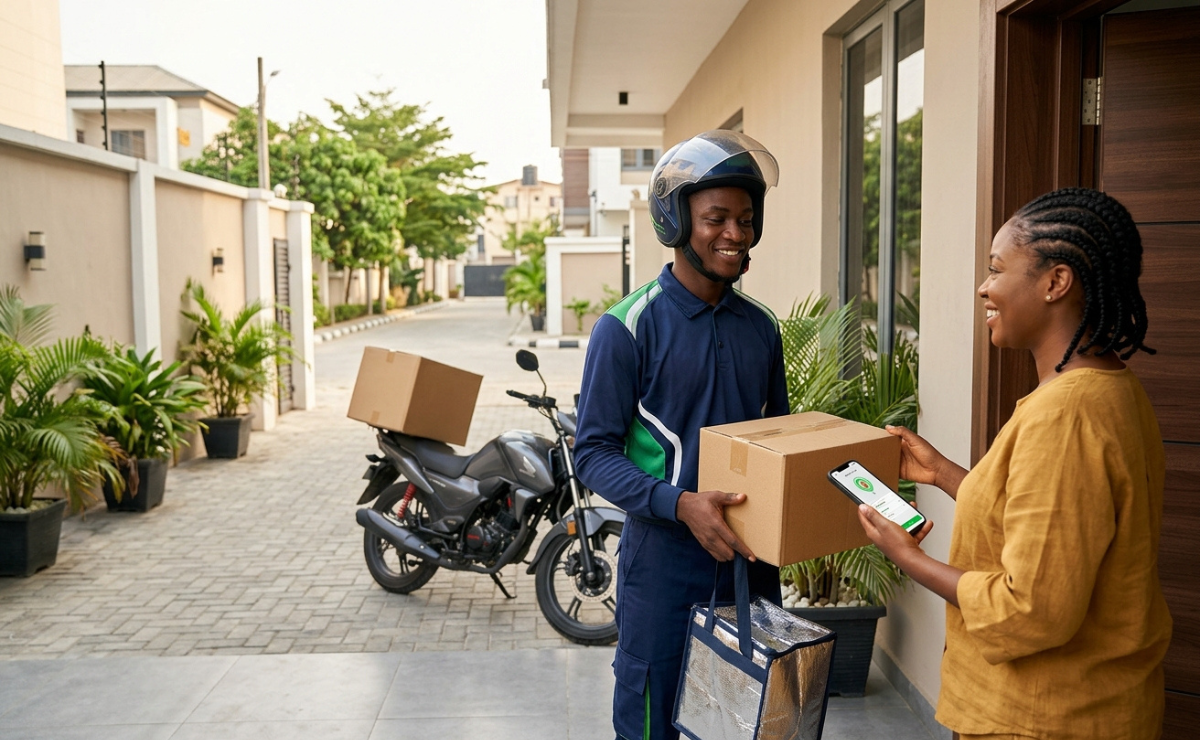
Gozonara Delivery Updates
Getting your order delivered should be simple, convenient, and stress-free. At Gozonara, we understand how important it is for customers to know what is happening with their orders from the moment they place an order until it arrives at their doorstep.
This page brings together important Gozonara delivery updates, helpful delivery information, and practical tips to help customers understand the delivery process and stay informed about their orders.
Whether you are placing your first order with Gozonara or you are already a regular customer, staying informed can help you enjoy a smoother delivery experience.
What Are Gozonara Delivery Updates?
Gozonara delivery updates are important announcements and information relating to the delivery of customer orders.
These updates may include information about delivery services, order processing, delivery schedules, service improvements, and other changes that may affect how customers receive their orders.
Keeping customers informed is an important part of providing a reliable online shopping and delivery experience.
Why Delivery Updates Matter
Delivery information can help customers plan their day and know when to expect their orders.
For example, customers may need to make sure someone is available to receive an order, confirm that their delivery details are correct, or understand that certain circumstances could affect delivery times.
Regular delivery updates also help customers stay informed about improvements to the Gozonara delivery experience.
Understanding the Gozonara Delivery Process
While the exact process may vary depending on the order and service, a typical delivery journey involves several stages.
1. Place Your Order
The process begins when you select the products or services you want and complete your order.
Before submitting your order, make sure your delivery information is accurate. Providing the correct name, phone number, address, and other required details can help prevent unnecessary delivery problems.
2. Order Processing
After an order is placed, it needs to be processed before it can be prepared for delivery.
During this stage, the order information is reviewed and the items are prepared for the next stage of the delivery process.
3. Order Preparation
Depending on the type of order, preparation may involve gathering products, packaging items, or preparing food and other goods for delivery.
Proper packaging is important because it helps ensure that an order arrives in good condition.
4. Delivery
Once an order is ready, it can proceed to delivery.
Customers should keep an eye on any available order notifications or updates so they can remain informed about the progress of their order.
5. Order Arrival
The final stage is delivery to the customer's specified location.
Customers should check their order when it arrives and make sure everything they received matches what they ordered.
How to Have a Smooth Gozonara Delivery Experience
There are several simple steps customers can take to make the delivery process easier.
Check Your Delivery Information
Always double-check your delivery address before completing an order.
An incorrect or incomplete address can make it more difficult for a delivery to reach the correct destination.
Keep Your Phone Available
If the delivery process requires the driver or delivery team to contact you, keeping your phone nearby can help avoid unnecessary delays.
Make sure the phone number associated with your order is correct.
Monitor Your Order Updates
Pay attention to available order notifications and delivery updates.
These updates can help you understand the progress of your order and prepare for its arrival.
Be Available to Receive Your Order
If possible, make sure someone is available to receive the delivery when it arrives.
This is particularly useful for orders that contain food, valuable products, or items that should not be left unattended.
What Can Cause Delivery Delays?
Although delivery teams work to complete orders efficiently, delays can sometimes happen.
Possible factors may include:
Heavy traffic
Weather conditions
Incorrect delivery information
High order volumes
Difficult-to-find delivery locations
Unexpected operational issues
Delays during order preparation
Some delays may be outside the control of the customer or delivery team.
When a delay occurs, checking the latest available order information can help customers understand the situation.
What Should You Do If Your Order Is Delayed?
If your order appears to be taking longer than expected, first check your available order information or delivery notifications.
Make sure the delivery address and contact details provided with the order are correct.
If you still need assistance, contact Gozonara through the available customer support channel and provide your order information so the issue can be reviewed.
Providing accurate order details can help customer support identify the order more quickly.
Keeping Your Delivery Details Accurate
One of the easiest ways to reduce delivery problems is to provide clear and accurate delivery information.
When placing an order, check:
Your full delivery address
Your phone number
Your name
Apartment, building, or house details where applicable
Any useful delivery instructions
Clear information can make it easier for the delivery team to locate the correct destination.
Gozonara Delivery Updates and Service Improvements
Delivery services continue to evolve as businesses look for ways to improve convenience and customer satisfaction.
Gozonara delivery updates can help customers stay informed about changes and improvements to the delivery experience.
Customers should regularly check official Gozonara communication channels for the latest information rather than relying on outdated information from third-party sources.
Tips for First-Time Gozonara Customers
If you are using Gozonara for the first time, a few simple habits can make your experience easier.
First, carefully review your order before completing it.
Second, make sure your delivery information is accurate.
Third, monitor your order after placing it.
Finally, keep your phone available in case the delivery team needs to contact you.
These small steps can help create a more convenient ordering experience.
Frequently Asked Questions
How can I stay informed about Gozonara delivery updates?
Check the official Gozonara website, app, notifications, or other official communication channels for the latest delivery information.
Why might my Gozonara order be delayed?
Delivery delays can happen for several reasons, including traffic, weather, high order volumes, incorrect delivery information, or unexpected operational issues.
What should I do if my order has not arrived?
Check your latest order information first. If you still need assistance, contact Gozonara customer support with your order details.
How can I avoid delivery problems?
Make sure your delivery address and contact information are correct, provide clear delivery instructions, and monitor your order notifications.
Should I check my order when it arrives?
Yes. It is a good idea to check your order when it arrives to make sure the items you received match your order.
Stay Updated With Gozonara
Staying informed is one of the easiest ways to enjoy a better delivery experience.
From delivery information and service announcements to helpful ordering tips, Gozonara delivery updates are designed to help customers understand what to expect when placing and receiving orders.
For the most accurate and current information, customers should always rely on official Gozonara communication channels.
Whether you are ordering for yourself, your family, or your business, Gozonara is focused on making the ordering and delivery experience as convenient as possible.
Stay informed. Stay prepared. Enjoy a smoother Gozonara delivery experience.
Available in our store

Aboniki Balm
$3.99

Beef Feet (Cow Leg)
$9.99 – $49.99Price range: $9.99 through $49.99
Best African Hausa Koko
$6.99
Boneless Beef Shank
$16.99 – $212.99Price range: $16.99 through $212.99